
WorkBuddy
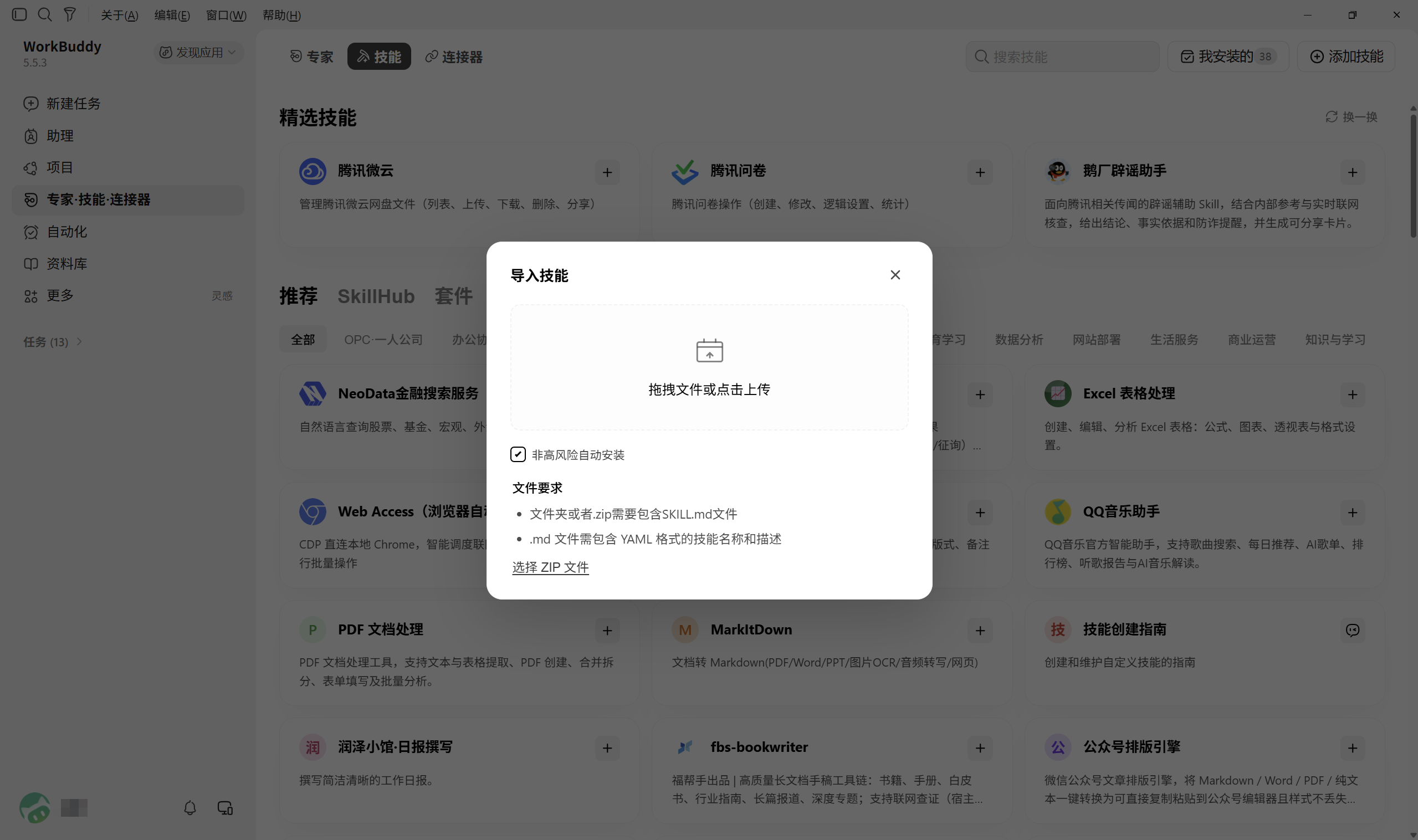
Upload the stable ZIP in the WorkBuddy desktop client.

Free · Open source
A practical Agent Skill for labor arbitration and labor dispute information support
GitHub repository →One question at a time to organize the key facts and your claims
Flags potentially missed rights and recommends more favorable lawful options
Helps calculate amounts, prepare evidence, and organize common documents and review checklists
Professionally reviewed legal framework, with dynamic retrieval from authoritative legal sources
Free and open source under the MIT License
Information support only. It does not replace the judgment of a lawyer, arbitration body, or court, and it does not promise case outcomes.
Upload the stable ZIP in the WorkBuddy desktop client.
Run the following command in a terminal (this method supports most mainstream AI tools):
npx skills add windstudio/arbibuddyEnter the following natural-language request in your AI tool to install automatically:
从 Github 仓库 windstudio/arbibuddy 安装 Skill/arbibuddy 我是上海某公司技术团队的负责人,公司已经拖欠了 4 个月工资,我该怎么维护自身权益?Explicit Skill syntax differs by platform: /arbibuddy in WorkBuddy and Claude Code, and $arbibuddy in Codex
我是上海某公司技术团队的负责人,公司已经拖欠了 4 个月工资,我该怎么维护自身权益?WorkBuddy, Codex, and Claude Code can trigger the Skill from its description; other platforms depend on their capabilities
Remove or mask private information before submitting
Think of a Skill as a specialist ability you install in an AI tool. With ArbiBuddy installed, your AI can follow the steps for handling a labor dispute, helping you organize key facts and claims, calculate amounts, organize evidence, and prepare materials.
Use an AI tool that supports installing Skills, such as WorkBuddy, Codex, or Claude Code. Follow the Installation section above, describe your labor dispute, and answer the follow-up questions. You can also enter “/arbibuddy” or “$arbibuddy” to invoke the Skill explicitly; the syntax varies slightly by platform.
It helps you organize key facts and claims step by step, spot potentially missed rights, calculate wages or compensation, organize evidence, and prepare common documents and review checklists. You can also ask it to compare negotiation, complaints, and arbitration so you understand your next steps.
When asking AI directly, you usually have to decide what to ask and which details to provide. ArbiBuddy follows a process designed for labor disputes: it asks one key question at a time, records your answers, flags potentially missed rights, and uses your case details to calculate amounts and prepare evidence and documents. You do not need to know legal terms or explain everything at once.
Yes. AI tools use different models and features, so answer quality and the ability to look up current rules, save case files, or generate Word documents can vary. ArbiBuddy provides the same steps, but the operations available depend on your AI tool.
No. It helps you understand your rights, organize materials, and prepare for negotiation or arbitration, but cannot replace legal judgment or represent you. Seek a lawyer’s review for complex cases, substantial amounts, or important decisions such as ending your employment or signing a settlement.
ArbiBuddy is free and open source under the MIT License, with no separate charge to install or use it. Your AI tool or model provider may charge subscription or usage fees under its own pricing rules.
ArbiBuddy currently provides no installation or usage support for Doubao. Use WorkBuddy, Codex, or Claude Code as described above. You can still ask Doubao about labor disputes, but pasting a prompt does not automatically give you ArbiBuddy’s full functionality.
Click Send feedback above to report through GitHub Issues. Describe your AI tool, the steps you took, what went wrong, and what you expected. Include screenshots if helpful. Remove names, company names, identity numbers, contact details, and bank details before submitting, and do not upload real case materials or original evidence.
ArbiBuddy focuses on labor disputes in mainland China, such as unpaid wages, unilateral pay cuts, unpaid bonuses or commissions, overtime pay, missing written employment contracts, unlawful dismissal, compensation for being forced to leave, and unused annual leave. It can help identify complaint or handling routes for social insurance and housing fund issues. For complex matters such as workplace injuries or non-compete restrictions, it helps organize information, flag risks, and identify where professional judgment is needed.
If your AI tool has permission to read and write files, ArbiBuddy saves your case file as a Markdown document in that tool’s local working directory. This website does not receive case data. Your conversation may still be sent to your cloud model provider for processing; saving files locally does not mean everything stays offline. Remove unnecessary personal details before sharing.
It can help generate labor arbitration applications, evidence lists, arbitration responses, demand letters concerning employment obligations, notices of employment termination due to employer violations, asset preservation applications, and enforcement applications. Exporting Word files requires an AI tool that supports file generation. Before use, check names, dates, amounts, requested remedies, and local submission requirements.